
WhatsApp MY
Unlock your AutomaticSales.ai Experience with Unlimited WhatsApp Sending
*WhatsApp/WhatsApp Business
Step 1
Reload QR
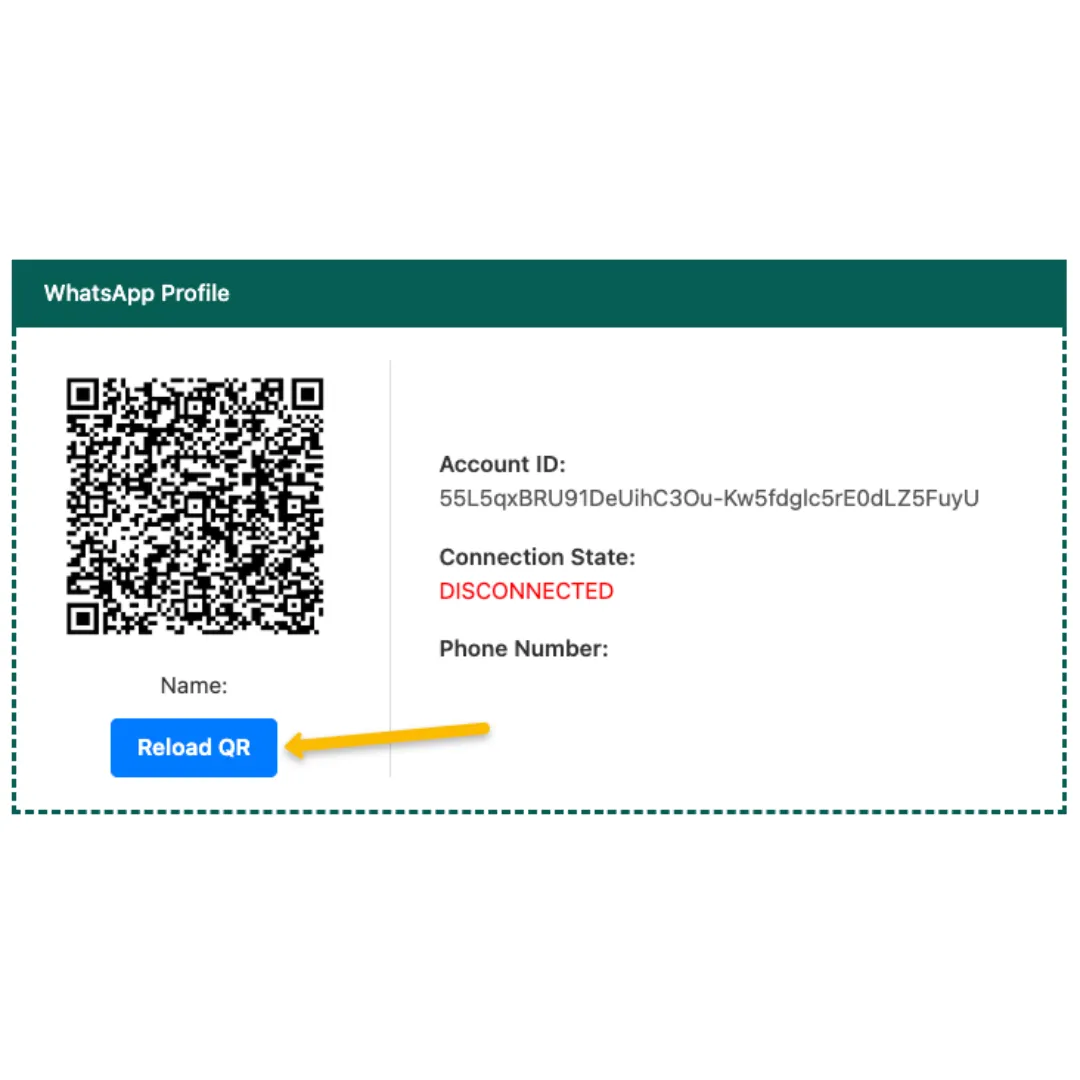
Step 2
Press OK
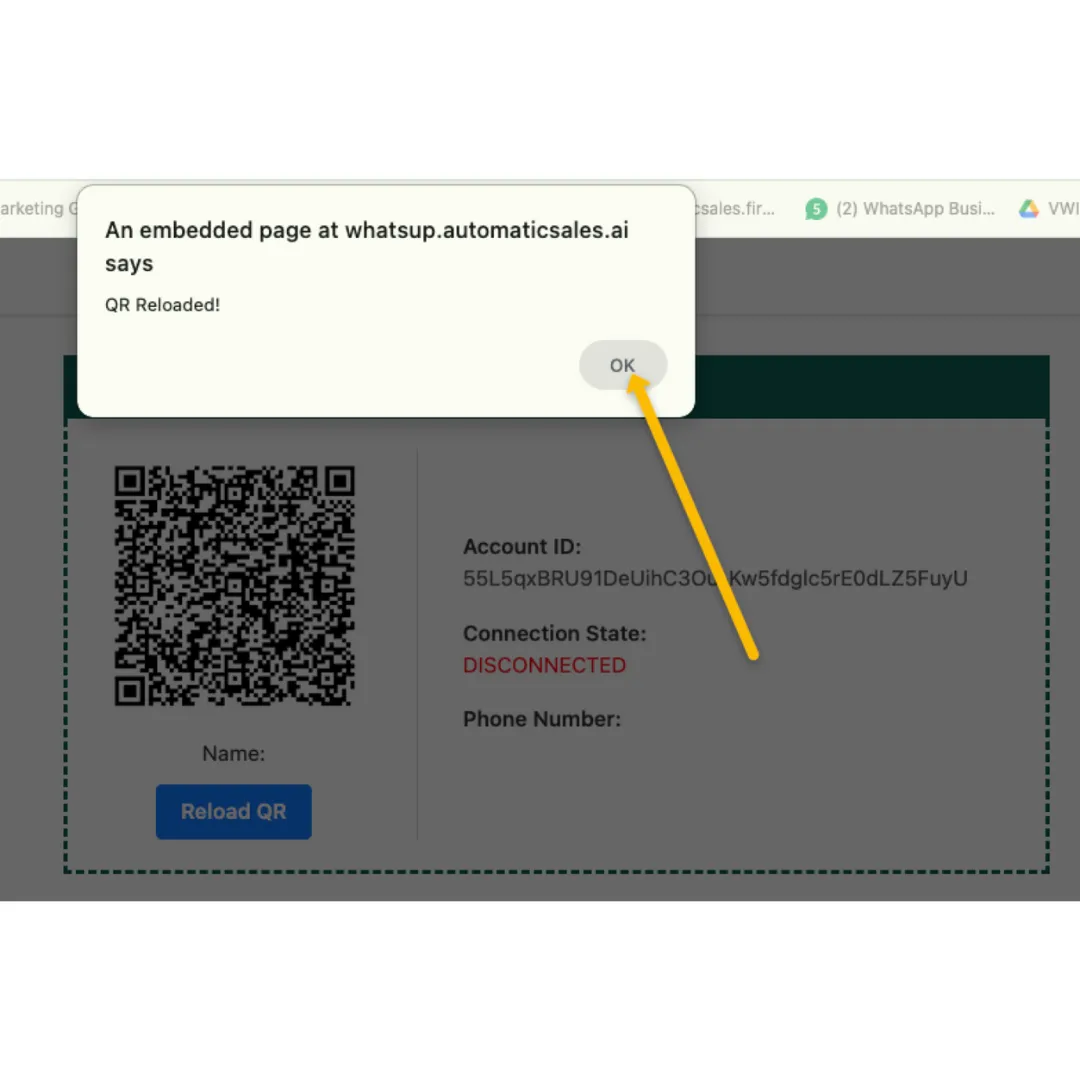
Step 3
Wait for QR Change
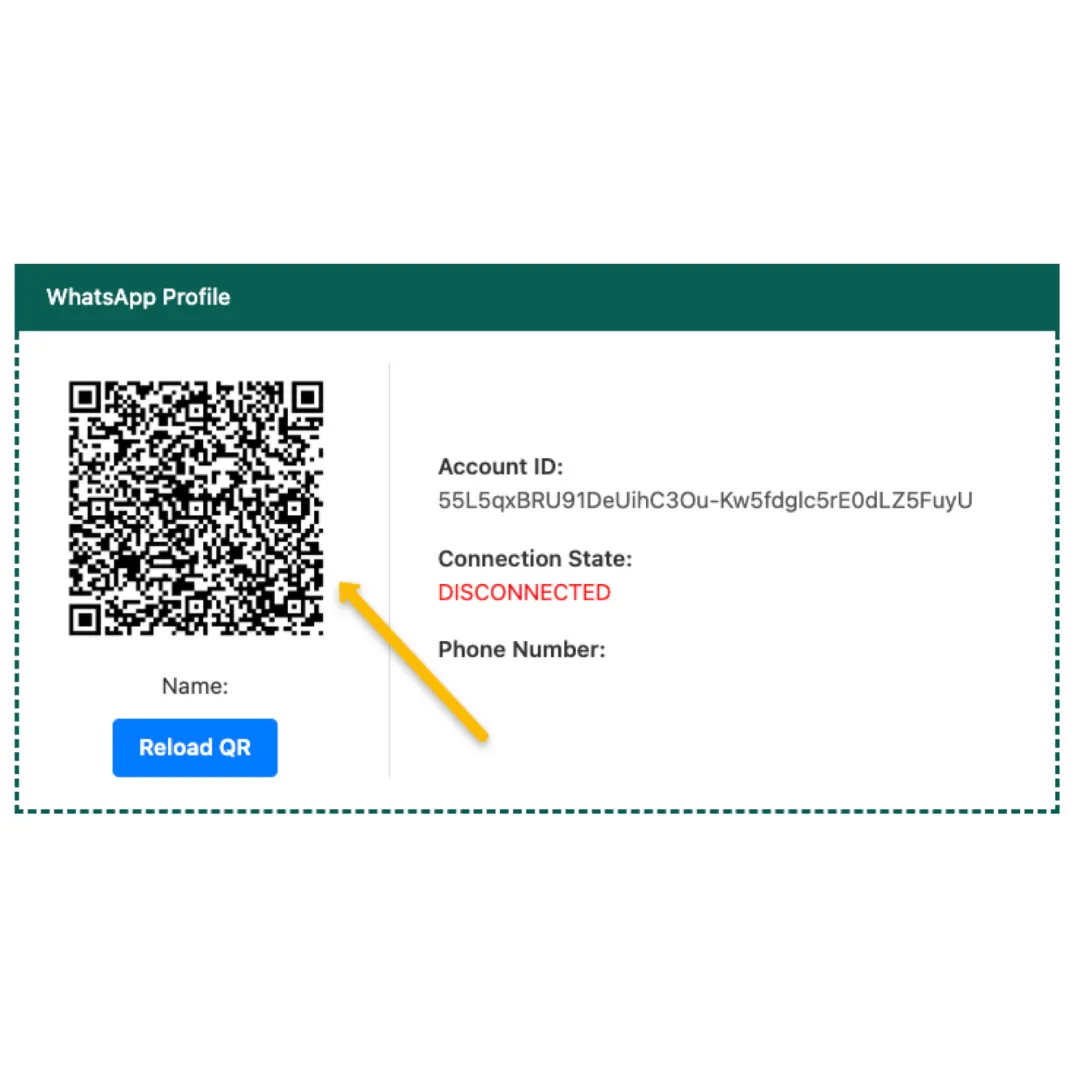
Step 4
Wait Syncing Finish
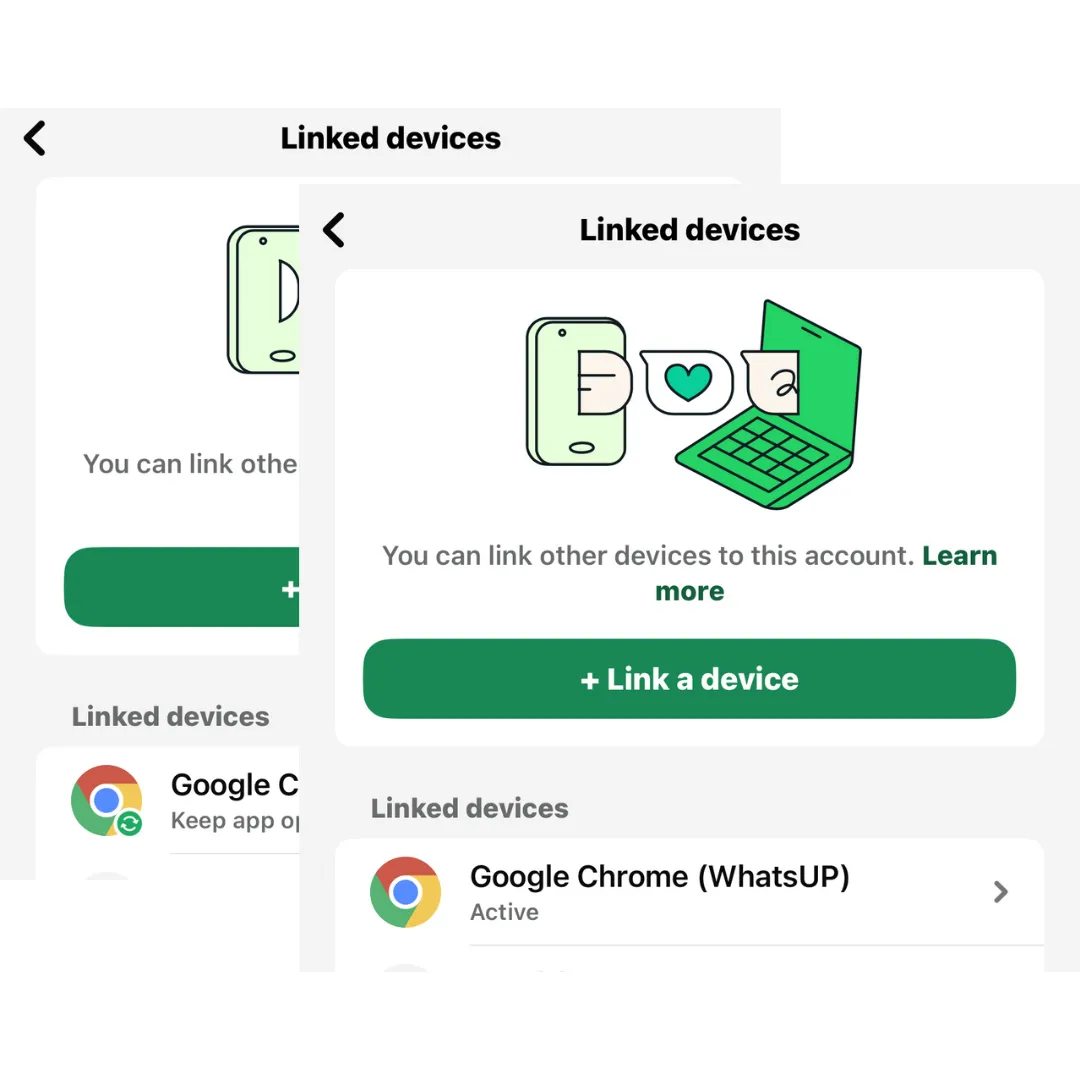
How to Change WhatsApp No.
If you want to change the WhatsApp
🔰 Click on the LOGOUT button
🔰 Scan the QR code for the new WhatsApp number
🔰 Wait for Syncing Completely
QR Code No Load
If you are not able to see the QR code
🔰 Click RELOAD QR button
🔰 Refresh your AutomaticSales.ai Page
🔰 Scan the QR code to get connected
*You may need to scan the QR code twice*
One Account has default ONE Integration WhatsApp, ONE admin can access this page
If want more Admins access this page, contact AS technical team with WhatsApp - 601112436811
How to use it in AutomaticSales.ai System
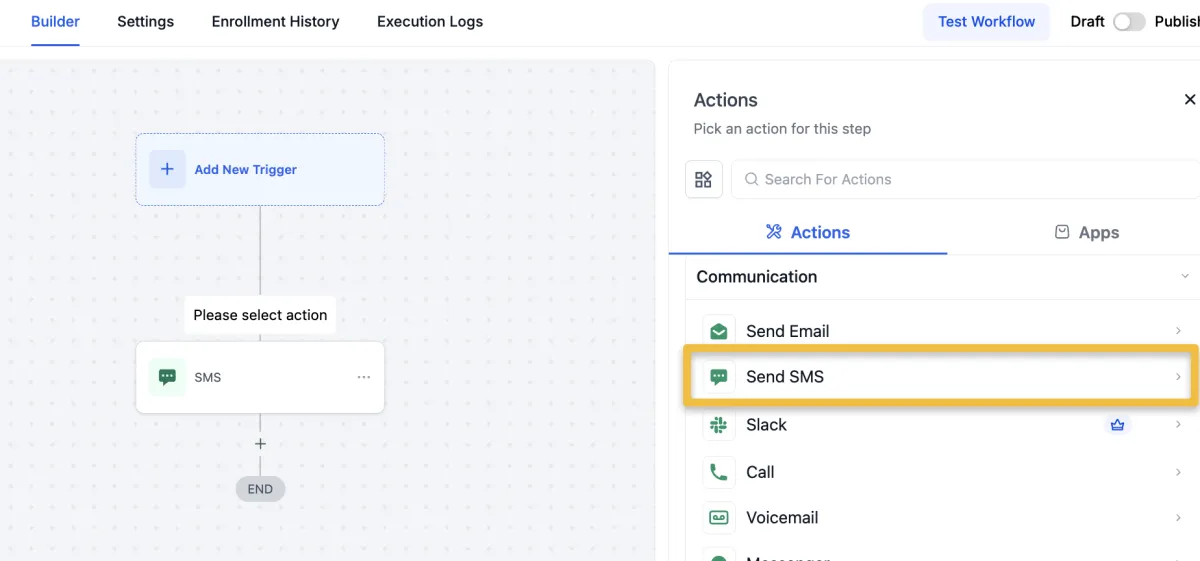
Automation Action
Send WhatsApp Message
Send SMS
*SMS = WhatsApp/WhatsApp Business Platform
*Using Drip Mode for this Action (1ppl/1min)

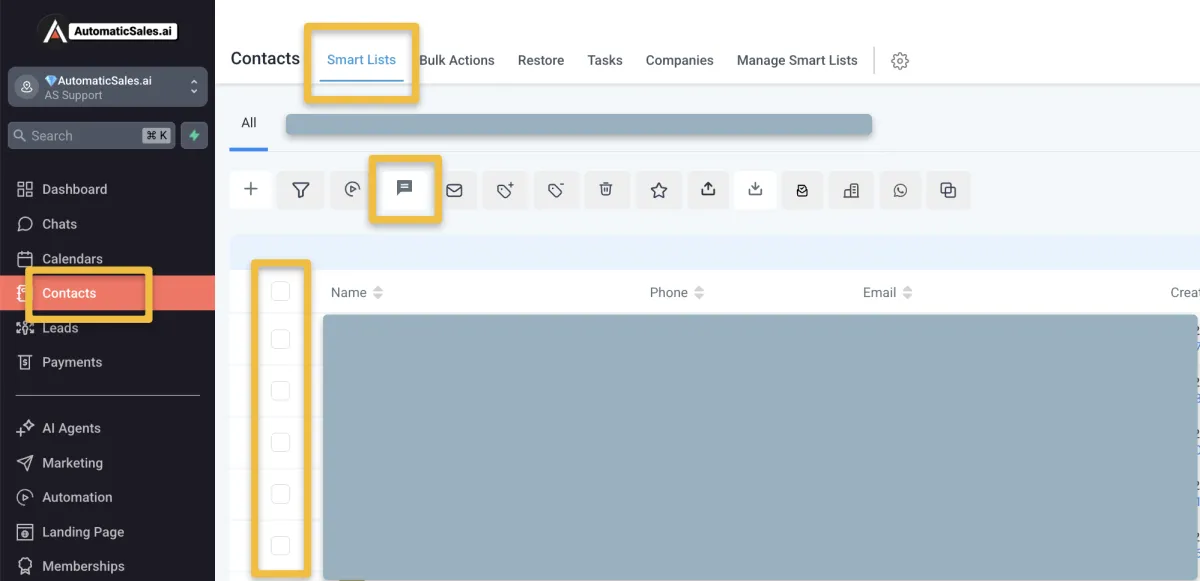
Bulk SMS
Send Broadcast Message
Send SMS
*SMS = WhatsApp/WhatsApp Business Platform
*Using Drip Mode for this Action (1ppl/1min)

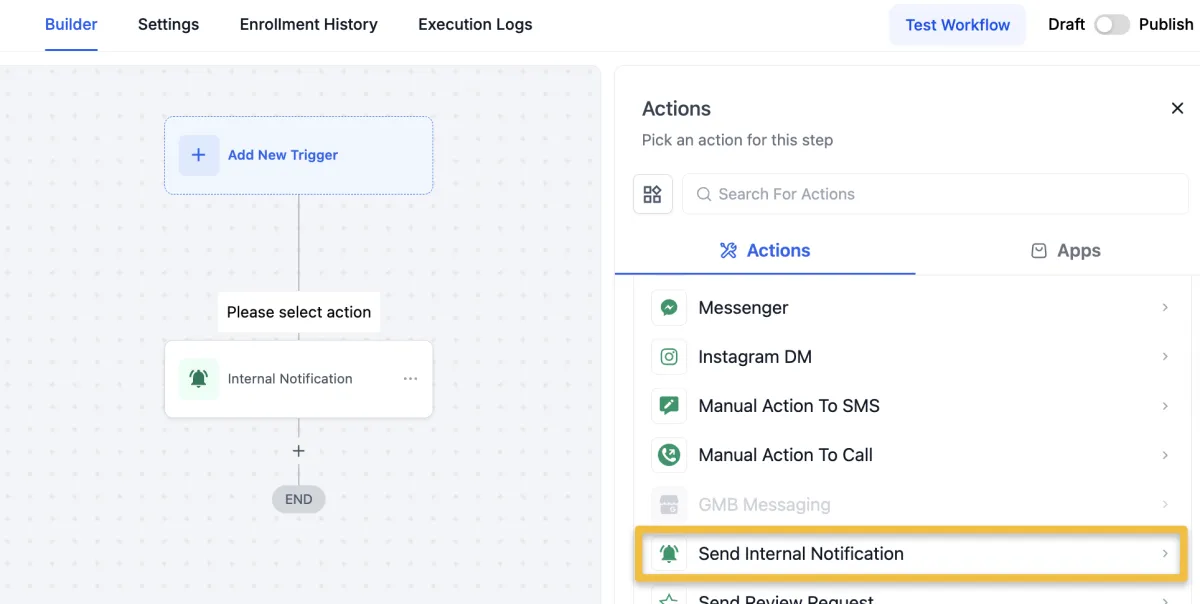
Automation - Internal Notification
*One WhatsApp Integration in AS
Send Internal Notification
Type of Notification: SMS
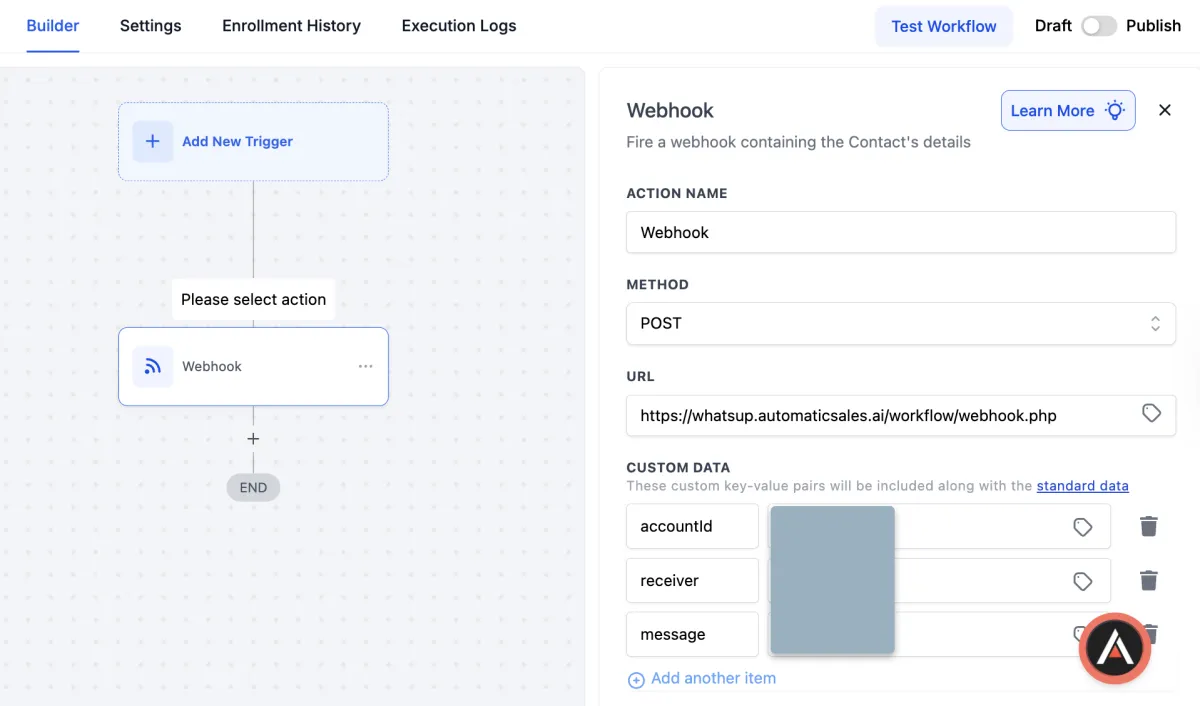
Automation - Internal Notification
*More WhatsApp Integration in AS
Webhook URL -
https://whatsupqiai.com/workflow/webhook.php
accountId - “find in the WHATSAPP MY”
receiver - “receiver phone number, exp: 60123456789”
message - “message content”
**the receiver phone must registered in Setting > My Staff
**just copy and paste in automation Webhook action
If you plan to send a high volume of messages daily (for example, 200 or more), the standard WhatsApp may not be suitable. You may consider using WhatsApp Business API (WABA) instead — you can explore this option under System > Settings > WABA.
WhatsApp 账号被封怎么办?
如果你的WhatsApp显示
“This account is not allowed to use WhatsApp”
代表账号已被官方封锁(通常因为被系统判定有spam或异常使用)。
别担心,你可以尝试申诉恢复 👇
⚠️ 但需要注意:申诉不保证100%可以解封
解封步骤:
1️⃣ 提交申诉
打开WhatsApp → 点击画面里的 Contact Us
或直接到这里提交:https://www.whatsapp.com/contact/?subject=messenger
2️⃣ 写申诉内容
简单说明:
- 你的号码
- 认为被误封
- 会遵守WhatsApp规则
- 请求官方重新审核
3️⃣ 等待回复
通常需要几天时间
WhatsApp会通过email回复你结果
申诉参考模板:
Dear WhatsApp Team,
My WhatsApp number +601XXXXXXXX has been banned.
I believe this may be a misunderstanding and would like to request a review of my account.
This number is very important for my daily communication and work. I sincerely apologize if any activity unintentionally violated the Terms of Service. I will ensure full compliance with WhatsApp policies moving forward.
Kindly assist to review and lift the ban if possible.
Thank you for your time and support.